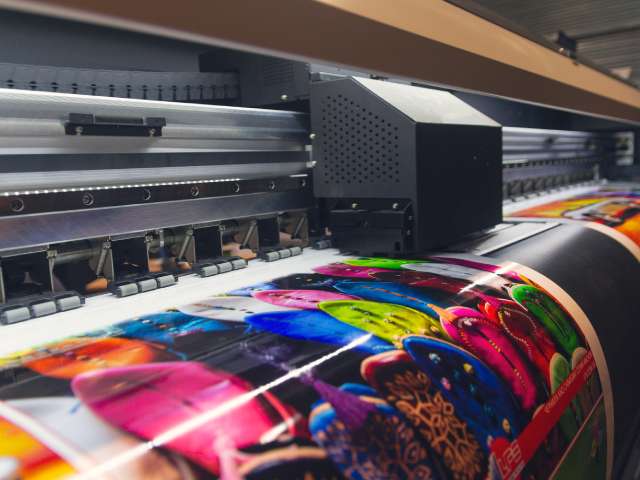
Want to make a big impression in your advertising? Switch to large-format printing! As the name implies, large-format printing can turn out sizable and eye-catching banners, posters, decals, and vehicle wraps for grand marketing projects and communications. But with great power comes great responsibility. Ensure large-format printing success with these tips and grab the attention of potential customers and clients.
Choose the Right Material
When printing large-format media, you have more options than paper. Large-format printers are excellent for reproducing images and messaging on paper, but you don’t need to limit yourself to it! Large-format printers print beautifully on vinyl banners that can hold up far better than paper outdoors and under all sorts of weather conditions. Familiarize yourself with the available material options. They may inspire newer and smarter ways to advertise!
If you have the budget, go for higher-quality materials for greater durability and superior aesthetic appeal. Skimping on quality media might save money now, but it will cost you more in the future if you need to replace your advertisements and signage.
Making a Resolution Toward Greater Resolution
Large-format printers deliver beautiful prints, so you need to monitor the resolution settings to ensure they’re perfect. Familiarize yourself with the term “dots per inch,” or DPI. Low DPI can create pixelated and blurry images, so make sure your files have at least 300 DPI. Low-resolution images are problematic, so inspect the resolution before shipping or sending files to the printer. Optimize your design software for high-resolution output. This simple step will make all the difference in your final prints!
Correcting Color
There’s a big difference between what you see on the screen and what ends up being printed out. Screen colors and print colors follow different modes, so be sure to follow procedures for calibrating color. Calibrating your monitor displays colors accurately, reducing the risk of discrepancies and the need for reprints. Eliminating reprints is also a good step toward engaging in sustainability with your large-format printer. Printers use CMYK (cyan, magenta, yellow, black) color mode, not the RGB (red, green, blue) mode used by digital screens, so designing in CMYK ensures colors print correctly.
Providing a Proof
No matter how good a design looks on-screen, always request a printer’s proof before the final print run. This step allows you to catch color inconsistencies and make any necessary adjustments. Naturally, it also gives you one last review to catch typos and other errors.
Proper File Preparation
Consider the bleed areas in your design. Bleed areas extend the design beyond the trim line, ensuring no unprinted edges appear after trimming and creating a smooth and flawless image. As a rule of thumb, a 3-millimeter bleed is sufficient.
You should be able to ensure large-format printing success with these tips. By paying attention to details, communicating effectively with your printer, and making informed choices, you’ll create stunning marketing materials that capture attention and convey your message clearly!
Leave a Reply